

Meta, the company that owns Facebook, Instagram and WhatsApp, is at the centre of the artificial intelligence (AI) race, competing with technology giants such as Apple, OpenAI, Google and Microsoft. Recently, Meta informed users that the data shared on its social networks, excluding private messages, could be used to train its advanced language model, called Meta AI. This news has raised concerns about privacy and the legitimacy of the operation, especially in Europe, since the option is enabled by default. However, it can be disabled through a specific procedure that we will explain in detail.
Why It Is Important to Deactivate the Use of Data for Meta AI
Thanks to the permissions granted when signing up for its services, Meta has extensive powers over the use of the content posted by users. However, using this data to train an AI represents a significant extension of its data-processing capabilities, creating potential privacy risks. Deactivating this option is essential to protect your personal information and maintain control over how it is used.
Opt-Out Procedure for Facebook
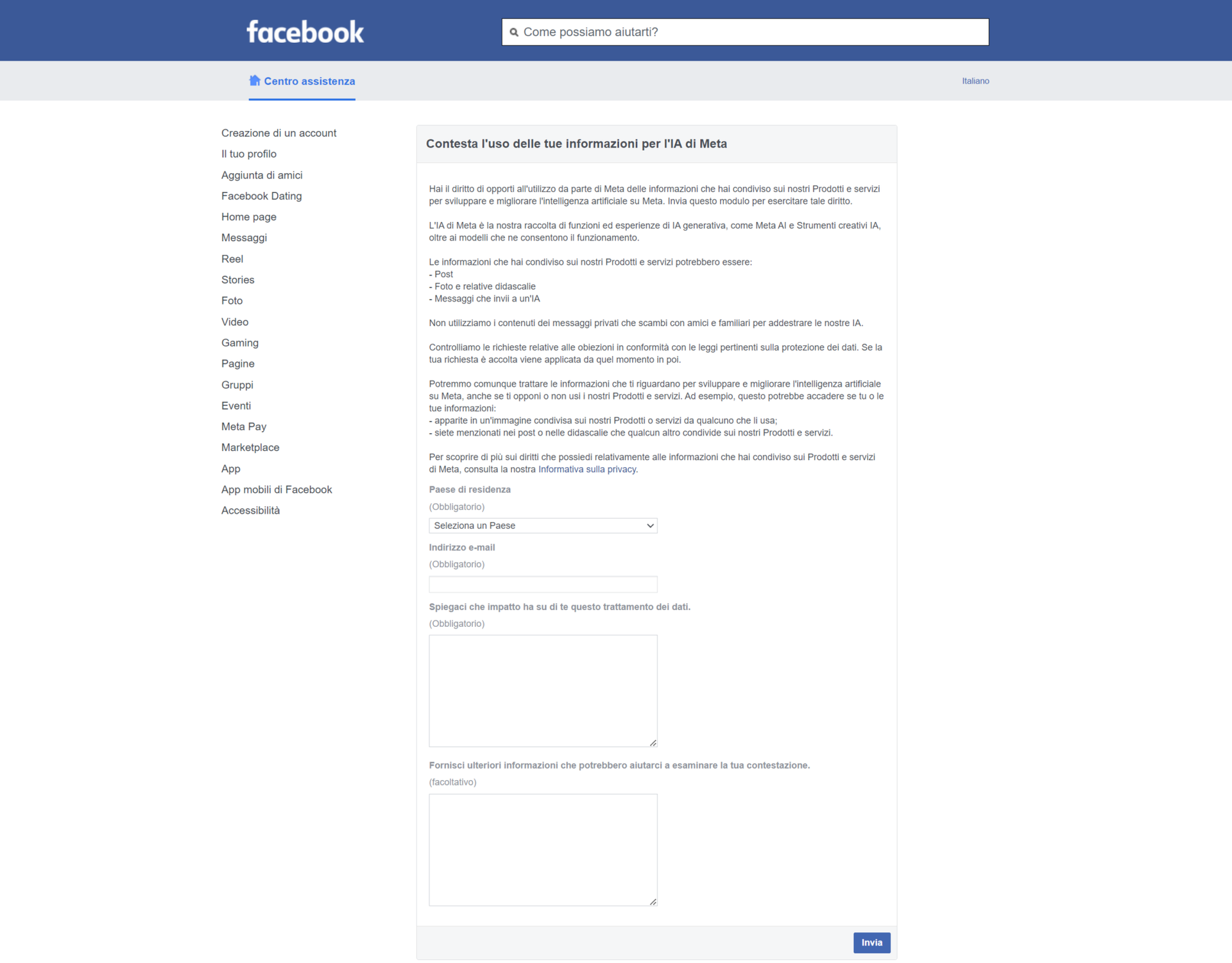
To prevent your data from being used by Meta AI on Facebook, follow these steps:
- Log in to your Facebook account.
- Go to the Settings section by clicking the three-horizontal-lines icon on your profile page.
- Scroll all the way down and select Information.
- Click on Privacy Policy.
- On the Privacy Policy page, find and click on Right to Object.
- Enter your country of origin and your email (preferably the one you used to create the account).
- Fill in the required fields with the reasons why you want to exclude your data from Meta AI training. It is advisable to refer to the GDPR (General Data Protection Regulation), for example by writing “this data collection violates the GDPR” or “it conflicts with the principles of the GDPR”.
- Fill in the form available at this link.
- Confirm your request by entering the temporary code you will receive via email.
After completing these steps, you should receive an email confirmation that your request has been accepted and that your data will not be used for Meta's AI.
Opt-Out Procedure for Instagram
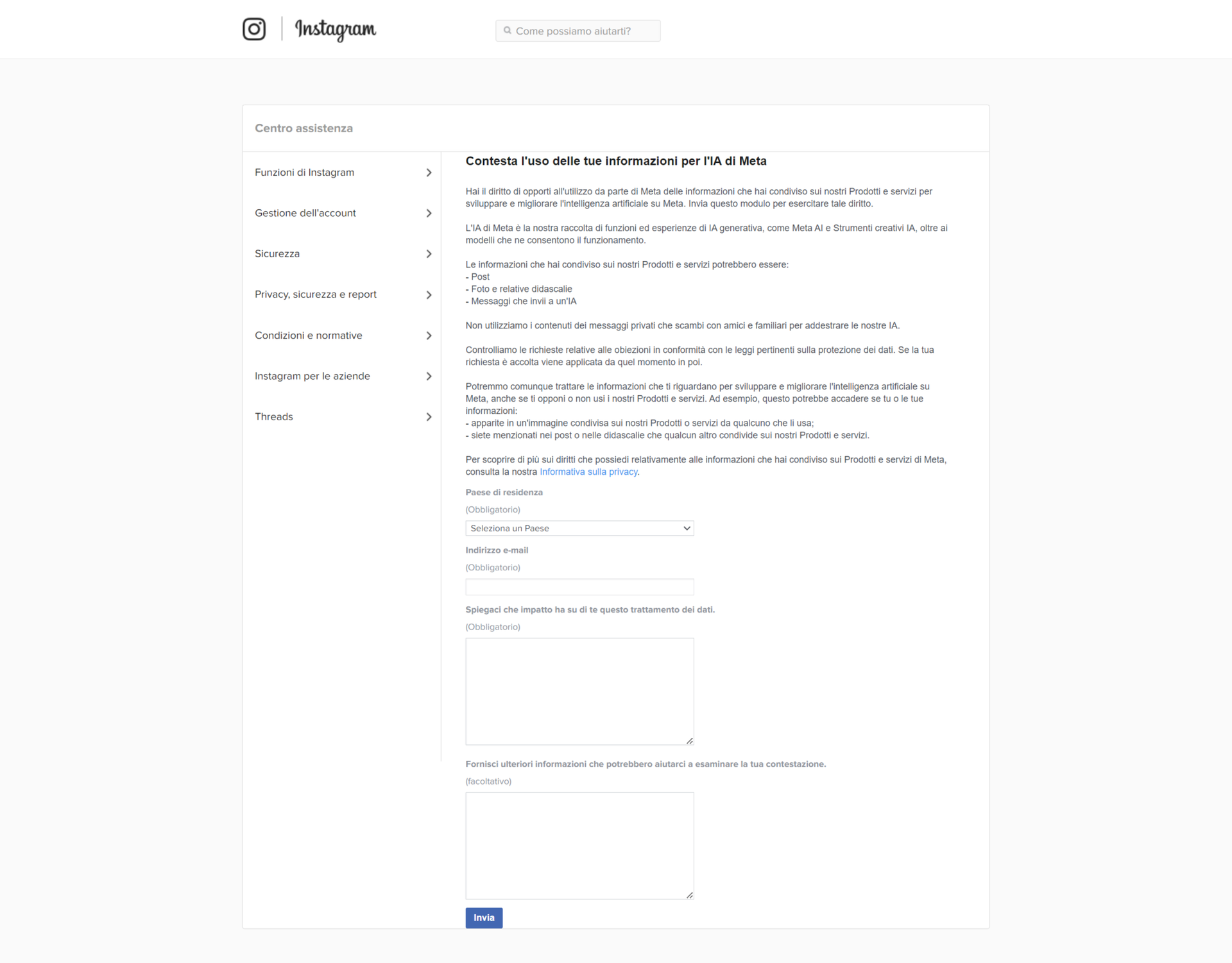
For Instagram, the procedure is very similar to that of Facebook:
- Log in to your Instagram account.
- Go to the Settings section by clicking the three-horizontal-lines icon on your profile page.
- Scroll all the way down and select Information.
- Click on Privacy Policy.
- Find and click on Right to Object.
- Enter your country of origin and your email.
- Fill in the required fields with reference to the GDPR.
- Fill in the form available at this link.
- Confirm your request by entering the temporary code you will receive via email.
In this case too, after completing the steps you should receive an email confirmation that your request has been accepted.
Your Privacy Is Important
Protecting your personal data is crucial in the digital age. Using data to train AI models entails significant privacy risks, such as the possibility of profiling users or influencing their decisions through personalised content. Deactivating the use of your data for these purposes is an important step to protect your privacy and ensure that your information is not exploited without your consent.
Conclusions on Protecting Your Data
Meta's decision to use users' data to train Meta AI has raised many concerns. However, thanks to the opt-out option, you have control over your information. Following the procedures described will help you protect your privacy and maintain control over your personal data. Remember to act by 26 June to ensure that your request is taken into consideration.
For further details and updates, consult the official Facebook and Instagram pages or contact the customer support of the respective platforms.