
Are you looking for how to access webmail.aruba.it? In this complete guide we explain everything about Aruba's web email platform: how to log in to webmail.aruba.it, the available features, configuration on email clients and smartphones, and how to solve the most common access problems.
Hi! Today I'll take you on a journey to discover webmail.aruba.it, a versatile and powerful solution for managing your emails. But that's not all: in this article, we'll also explore Webmail Roundcube, another fantastic option used on all G Tech Group servers, which proves to be a worthy competitor to webmail.aruba.it.
With webmail.aruba.it, you have a range of tools at your disposal to optimise your email experience. You'll be able to easily send, receive, organise and search your emails, all with an intuitive and user-friendly interface. In addition, you'll have access to advanced features such as anti-spam filters, automatic replies and the ability to forward your emails, all protected by robust security measures.
But it doesn't end there! Throughout the article, we'll also examine Webmail Roundcube, used on all G Tech Group servers, to show you how this platform offers an equally rich and satisfying email management experience. Get ready to discover all the secrets of these two powerful webmail platforms and to become a true email management expert. Let's discover every detail of webmail.aruba.it and the world of Webmail Roundcube!
Access to webmail.aruba.it: detailed steps and password recovery
Accessing your webmail.aruba.it is a simple but fundamental process. Here's how:
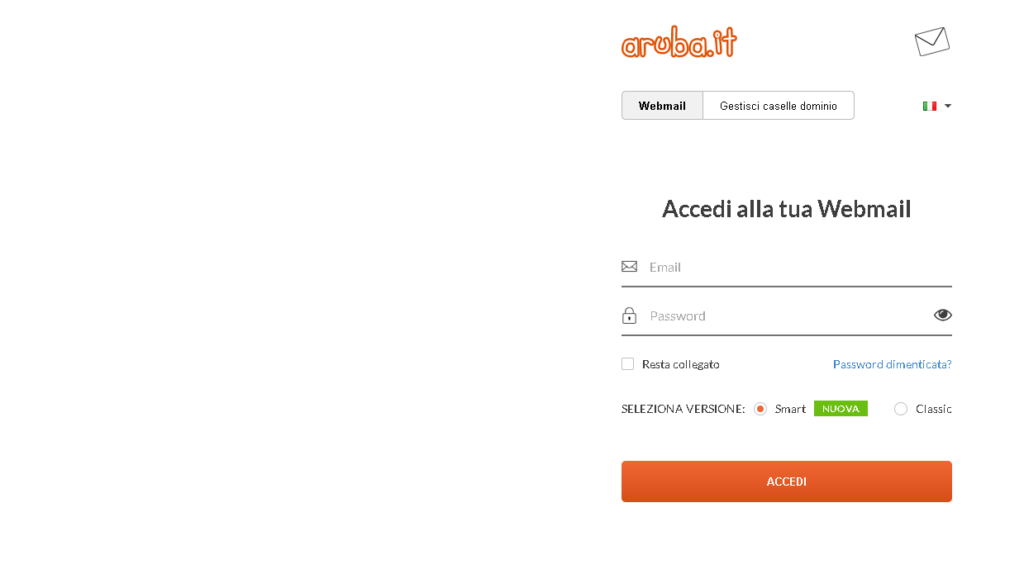
- Visit the site: first of all, open the browser and type webmail.aruba.it. This will take you directly to the login page of ArubaMail.
- Enter your credentials: once on the page, you'll see two fields to fill in. In the first, enter your Aruba email address. In the second, type the password associated with your account. If your credentials are correct, you'll be inside your mailbox right away.
But what happens if you've forgotten your password? No problem, Aruba offers a simple recovery procedure:
- Click on ‘Forgot your password?’: you'll find this link on the login page.
- Enter your Aruba email address: you'll need to provide the email address for which you want to reset the password.
- Follow the instructions: Aruba will guide you through the steps to verify your identity and set a new password. You may have to answer security questions or confirm your identity via a message sent to your phone or an alternative email address.
Once the procedure is complete, you'll be able to use your new password to access the webmail Aruba.
After logging in, you'll find yourself in front of a clean, tidy and intuitive user interface, designed to make email management a pleasant and stress-free experience. You're now ready to explore all the features that webmail.aruba.it has to offer!
Navigating the User Interface of webmail.aruba.it
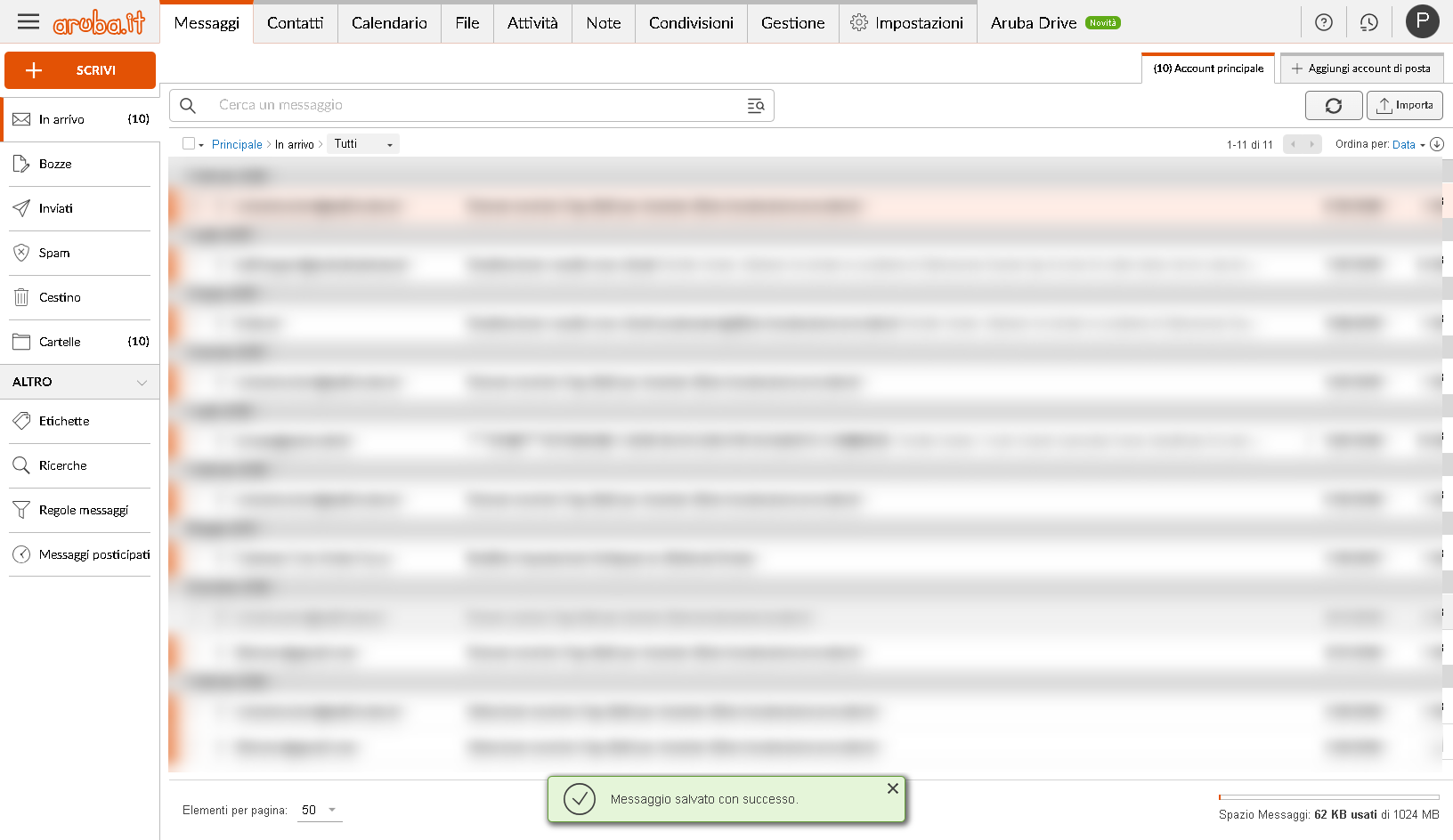
Once you have logged in to webmail.aruba.it, you'll find yourself facing a well-organised and intuitive user interface, designed to make your email management experience as smooth and pleasant as possible. Here's a detailed overview of its main components:
- Menu Bar: located at the top of the screen, the menu bar is your control centre for email operations. Here you'll find buttons and options to:
- Compose a New Message: a clearly visible icon lets you start writing an email in an instant.
- Search: an integrated search function to quickly find specific messages, using keywords, sender, date and other filters.
- Email Management: options to reply, forward, delete or archive messages with ease.
This bar is designed to give you quick access to all the essential features without having to search through the menus.
- Email Folders: on the left side of the screen, you'll find the list of your folders. This section is essential for keeping your mailbox organised. It includes:
- Inbox: where all new emails arrive.
- Sent: a collection of the emails you've sent.
- Drafts: here the emails not yet completed or sent are saved.
- Trash: where the emails you decide to delete end up.
In addition, you have the option to create custom folders to categorise your emails by projects, contacts, priorities, or any other system you prefer.
- Main Work Area: this is the central part of the interface, where most of your work takes place. After selecting an email from the list, here you'll be able to:
- Read the Content of the Message: the selected email will be displayed here, allowing you to read all the text and view any attachments.
- Reply or Forward: use the reply and forward buttons to interact with the messages received.
This area is designed to be spacious and clear, allowing you to focus on the content of your messages without distractions.
In summary, the user interface of webmail.aruba.it is designed to offer you an efficient and hassle-free email management experience. Whether you need to send an urgent communication, organise your emails, or simply read the messages received, you'll find everything you need at your fingertips.
Efficient Email Management with webmail.aruba.it
Managing emails with webmail.aruba.it is designed to be not only simple, but also extremely effective, allowing you to optimise your time and better organise your communication. Here's how you can make the most of these features:
- Compose a New Message: creating a new message is an intuitive process in webmail.aruba.it. Here's how:
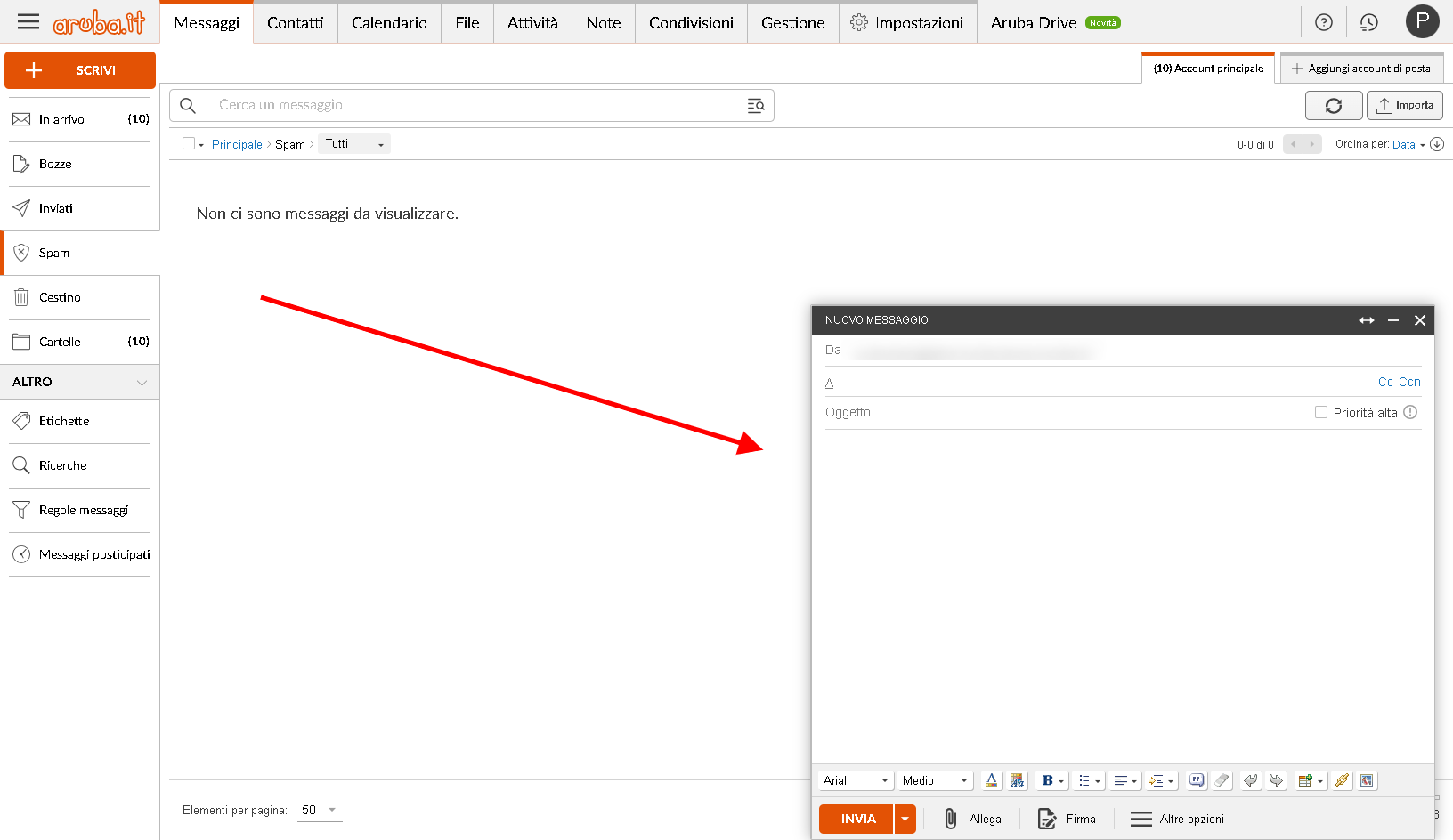
- Click on “New Message”: you'll find this button in the menu bar. Once clicked, an email composition window will open.
- Enter the Details: here you'll be able to add the recipients (in the “To:” field), the subject of the email and, of course, the body of the message.
- Attachments and Formatting Options: if necessary, you can attach files and use the formatting options to personalise your message, making it more effective and professional.
This process is designed to be fast and frictionless, allowing you to spend more time on the content of your message and less time navigating the interface.
- Organise Emails: keeping your emails organised is essential for efficient management. webmail.aruba.it allows you to do it simply:
- Create Custom Folders: to create a new folder, right-click in the folder area (on the left side) and select “Create new folder”. You can name the folder as you prefer, for example according to a specific project, a type of communication, or a priority.
- Move Emails to Folders: drag and drop the emails into the corresponding folders, or use the management options to organise your messages.
This organisation will help you keep your mailbox tidy and easily find emails when you need them.
In general, webmail.aruba.it makes email management a smooth and stress-free process. Whether you're sending an important message, organising your correspondence for a project, or simply keeping your mailbox tidy, you'll find in webmail.aruba.it a powerful and reliable tool for all your email communication needs.
Exploring the Advanced Features of webmail.aruba.it
webmail.aruba.it is not limited to the basic features; it also offers a range of advanced tools that allow you to further optimise your email experience. These functions are designed to make managing your communications more efficient and professional. Here's an in-depth look at some of these advanced options:
- Anti-Spam Filter: one of the biggest challenges in email management is keeping spam at bay. Fortunately, webmail.aruba.it includes a robust anti-spam filtering system. Here's how it works:
- Automatic Spam Identification: the anti-spam filter automatically examines incoming emails and uses advanced algorithms to identify unwanted ones, moving them to a dedicated folder.
- Filter Customisation: you have the option to customise the filter settings, adding safe email addresses to a whitelist or suspicious addresses to a blacklist, to improve the filter's efficiency over time.
This function ensures you a cleaner and more organised mailbox, saving you valuable time in the daily management of your emails.
- Automatic Replies: this feature is ideal for maintaining communication even when you're not available. Here's how you can use it:
- Set Up Auto-Reply Messages: you can create automatic messages that will be sent in reply to emails received during your absence, for example for holidays or work commitments.
- Customisation of the Period and the Message: you can define the period during which the automatic message will be active and customise the text of the message to inform senders of your absence and your return date.
This function ensures that your contacts always receive a reply, maintaining a professional and informed image.
- Email Forwarding: sometimes you might need to automatically forward your emails to another address. webmail.aruba.it makes this process simple:
- Setting Up Forwarding: in the settings of webmail.aruba.it, you can easily configure the forwarding of your emails to another email address of your choice.
- Flexibility of Use: this option is particularly useful if you manage several email accounts or if you want to ensure that important emails are seen by several people on your team or in your family.
These advanced features of webmail.aruba.it are designed to give you complete control over your email experience, making the management of your mailbox more efficient, secure and personalised to your specific needs.
Security and Privacy in webmail.aruba.it: a Serious and Constant Commitment
Security and privacy are two aspects that webmail.aruba.it takes very seriously, aware of the importance of protecting users' information and personal data. Here's how this service ensures that your email communications are not only efficient, but also extremely secure:
- SSL Protection (Secure Socket Layer): this technology is fundamental to ensuring the security of information online. Here's how:
- Data Encryption: SSL works by encrypting the data sent between your computer and the servers of webmail.aruba.it. This means that all information, including your emails and your login credentials, is protected from prying eyes.
- Security in Connections: every time you access webmail.aruba.it, the connection is secure, as indicated by the padlock symbol in the browser's address bar. This ensures that no one can intercept or alter your data while it's in transit.
By implementing SSL, webmail.aruba.it provides a high level of security, essential in the digital age to protect sensitive information.
- Privacy Policies: in a world where online privacy is an increasingly hot topic, webmail.aruba.it adopts strict policies to guarantee your privacy:
- Compliance with Regulations: webmail.aruba.it complies with all the main privacy regulations, such as the GDPR (General Data Protection Regulation) of the European Union, ensuring that your data is treated with the utmost confidentiality and in accordance with current laws.
- Transparency in Data Use: Aruba is committed to being transparent about how your data is collected, used and stored, ensuring that you always have control over your personal information.
This commitment to privacy means that you can rely on webmail.aruba.it to manage your emails, knowing that your data is treated with the utmost respect and according to high standards of security and confidentiality.
In conclusion, the combination of robust security measures such as SSL protection and cutting-edge privacy policies makes webmail.aruba.it a reliable choice for anyone looking for a secure email service that respects users' privacy. With webmail.aruba.it, you can focus on managing your emails, knowing that the security and privacy of your communications are in good hands.
Roundcube: The Innovative Webmail Solution Offered by G Tech Group
After having explored webmail.aruba.itin detail, it's time to dive into the world of Roundcube, a webmail platform that is rapidly gaining popularity, especially among G Tech Group users. Roundcube stands out for its refined user interface and for a range of features that make it an excellent choice for email management. Let's take a detailed look at what Roundcube offers and why it might be the best choice for you with G Tech Group.
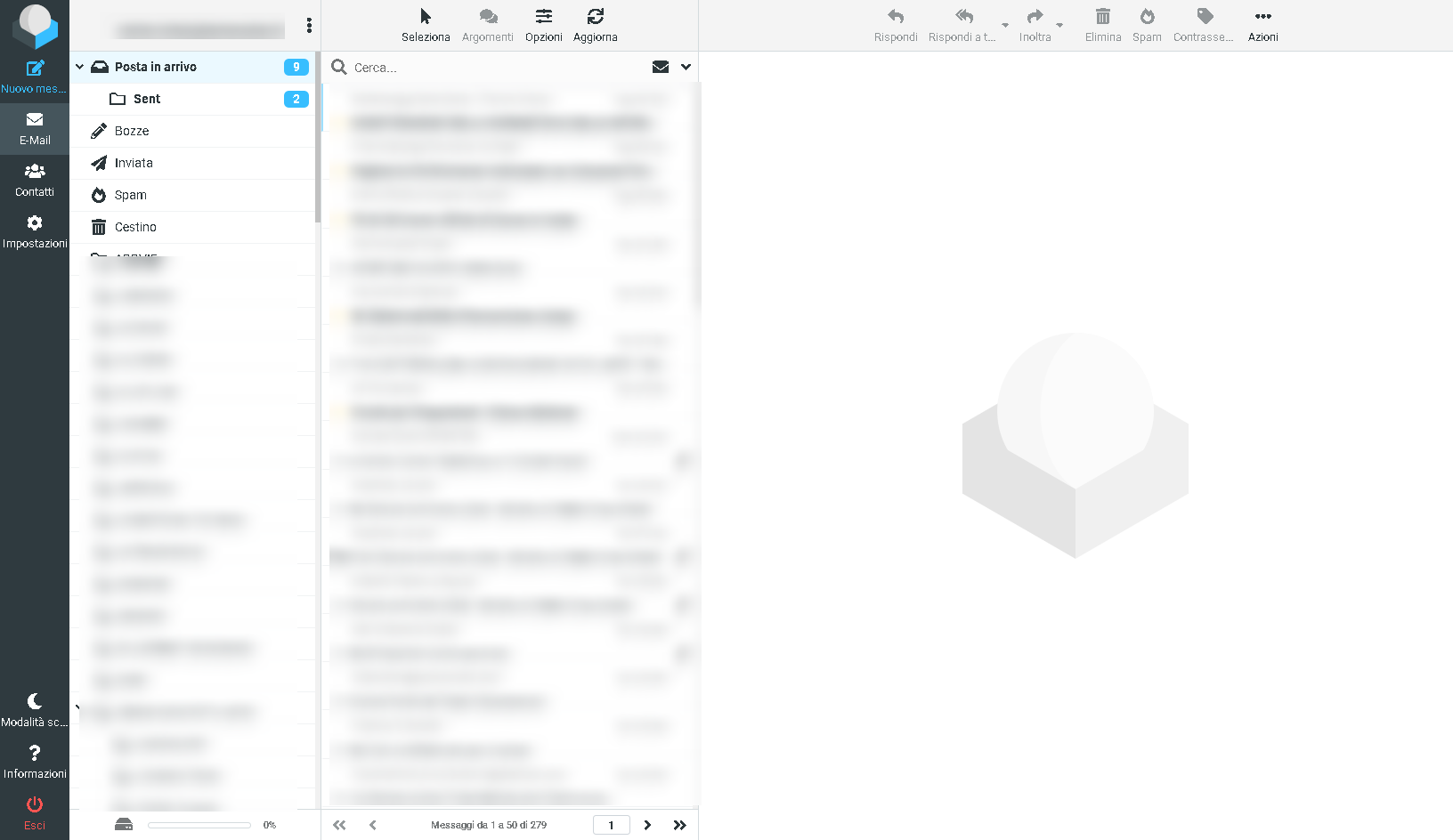
- Intuitive and Modern User Interface: Roundcube boasts a clean and modern graphical interface, which makes navigation and email management a pleasant and intuitive experience. The arrangement of the folders, the toolbar and the message display area are designed to maximise efficiency and reduce visual clutter.
- Rich and Customisable Features: one of Roundcube's strengths is its wide range of features. It includes everything you'd expect from a top-level email client: advanced email management, powerful search, filters, organisation into folders, and much more. In addition, Roundcube offers a high degree of customisation, allowing you to adapt the email experience to your specific needs.
- Top-Level Security and Privacy: just like webmail.aruba.it, Roundcube also takes security and privacy very seriously. Thanks to encryption technologies and strict privacy policies, you can rest assured knowing that your communications are protected and confidential.
- Why Roundcube with G Tech Group Is the Best Choice: what makes Roundcube particularly attractive for G Tech Group users is the perfect integration with their services and infrastructures. G Tech Group has optimised Roundcube to work smoothly with their own servers, thus guaranteeing superior performance and better stability. This means that, as a G Tech Group user, you can expect faster, more reliable and more secure email management.
- Dedicated Support and Assistance: another significant advantage of using Roundcube with G Tech Group is access to a dedicated support team. Should you encounter problems or have questions, you'll be certain to receive fast and qualified assistance, a fundamental aspect for businesses and professionals who depend on email for their work.
In conclusion, Roundcube offers an irresistible combination of intuitive design, advanced features, security and excellent support, especially when used in synergy with G Tech Group's services. Whether you're a business user or a private individual, Roundcube represents a webmail solution that not only meets your daily communication needs but exceeds them, thanks to its impeccable integration with the G Tech Group ecosystem.
Roundcube and G Tech Group's SMTP Innovation: Optimising Email Sending
In outlining the advantages of Roundcube in combination with G Tech Group's services, a crucial aspect to highlight is the innovative implementation of the SMTP server with 7 rotating IPs. This unique feature of G Tech Group's email service offers significant benefits in optimising email sending, considerably improving the reliability and efficiency of communications. Here's how it works and why it's so advantageous:
- Server SMTP with Rotating IPs: G Tech Group has configured its own SMTP server to use 7 rotating IPs. This means that every email sent through the Roundcube system is transmitted using one of these IP addresses, which change dynamically.
- Optimising Email Sending: the use of rotating IPs is an effective strategy for keeping the mail server's reputation high. In simple terms, it prevents the IPs from being marked as spam due to the high volume of emails sent, a common challenge for businesses that depend on frequent and mass email communications.
- Preventing Classification as Spam: one of the biggest obstacles in sending business emails is the risk that the messages are wrongly classified as spam. With the rotating IP strategy, G Tech Group significantly reduces this risk. Each email is more likely to reach the recipient's inbox, rather than being diverted to the spam folder.
- Reliability and Continuity of Service: this system also ensures greater continuity and reliability of the email sending service. In case of problems with one of the IPs, the others can take over, thus guaranteeing that the email service is always operational and efficient.
Conclusion
Ultimately, the article explores and compares two prominent webmail solutions: webmail.aruba.it and Roundcube from G Tech Group. While webmail.aruba.it proves to be a solid option for those looking for a complete and secure email service, offering an intuitive interface, advanced security and effective email management, Roundcube, supported by G Tech Group's innovative technology, stands out for its efficiency in sending emails. The implementation of an SMTP server with 7 rotating IPs ensures more reliable email delivery, considerably reducing the likelihood that the messages end up in spam.
This guide was created with the aim of providing a detailed overview of these webmail platforms, highlighting how each one can meet different digital communication needs. Whether you choose webmail.aruba.it for its reliability and ease of use, or whether you prefer the advanced technology and optimisation of Roundcube offered by G Tech Group, you'll have access to a high-quality email service, designed to respond efficiently and securely to your communication needs.
For any questions or further information, both Aruba's technical support and the G Tech Group team are at your disposal to assist you. With the solutions offered by webmail.aruba.it and G Tech Group, managing emails efficiently, securely and in a personalised way becomes an unparalleled experience. We're proud to offer you these cutting-edge technologies and are always available to support you in your webmail experience.